> For the complete documentation index, see [llms.txt](https://help.dscout.com/llms.txt). Markdown versions of documentation pages are available by appending `.md` to page URLs; this page is available as [Markdown](https://help.dscout.com/private-panels/panel-management/track-panelist-ip-and-country.md).
# Track panelist IP and country
## View collected data
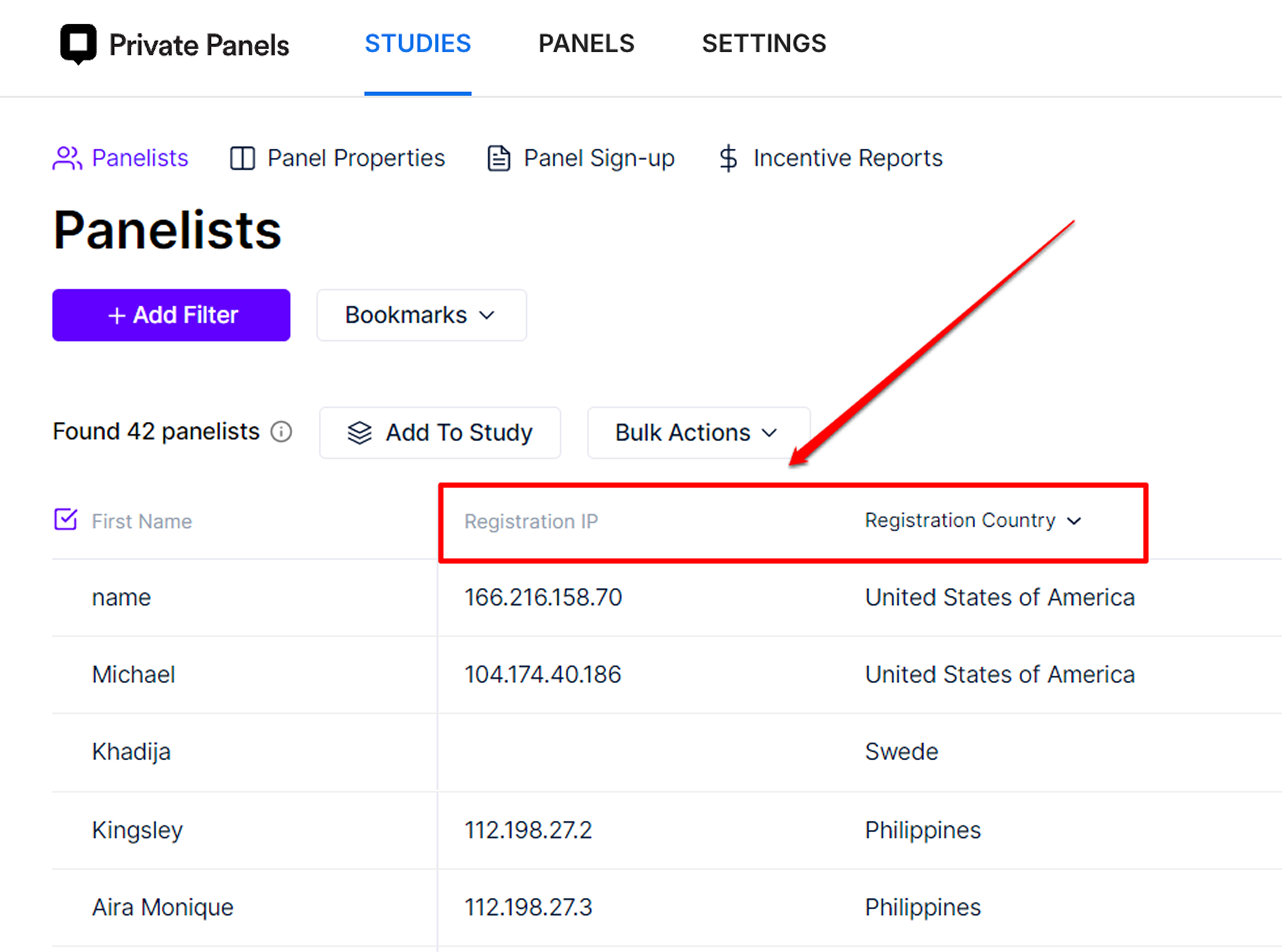
Private Panels automatically creates two panel properties **Registration IP** and **Registration Country** to track panelist origin. These properties are automatically updated during panelist sign-up, or when they first answer a screener. You can view a panelist's IP address and country by opening their profile then scrolling down to **Registration IP** and **Registration Country**.
To track IP for a Study Screener, follow [this guide](/private-panels/studies/duplicate-ip-protection.md).
The **Panel Panelists** page supports sorting and filtering for these panel properties.
 These two panel properties can also be used to restrict your screener's availability in certain countries. More information about this can be found on our [Restrict availability by country](/private-panels/panel-management/restrict-availability-by-country.md) guide.
## Find duplicate IPs
To find panelists who have duplicate IPs:
{% stepper %}
{% step %}
On the **Panel** page, click **Add Filter**.
{% endstep %}
{% step %}
Choose **Registration IP**.
{% endstep %}
{% step %}
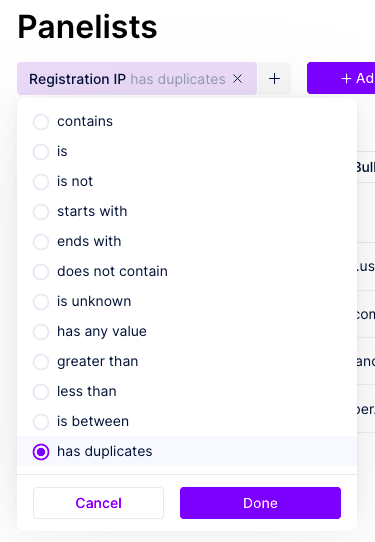
Choose **has duplicates**.
{% endstep %}
{% step %}
Click **Done**.
These two panel properties can also be used to restrict your screener's availability in certain countries. More information about this can be found on our [Restrict availability by country](/private-panels/panel-management/restrict-availability-by-country.md) guide.
## Find duplicate IPs
To find panelists who have duplicate IPs:
{% stepper %}
{% step %}
On the **Panel** page, click **Add Filter**.
{% endstep %}
{% step %}
Choose **Registration IP**.
{% endstep %}
{% step %}
Choose **has duplicates**.
{% endstep %}
{% step %}
Click **Done**.