> For the complete documentation index, see [llms.txt](https://help.dscout.com/llms.txt). Markdown versions of documentation pages are available by appending `.md` to page URLs; this page is available as [Markdown](https://help.dscout.com/private-panels/studies/quota-grids.md).
# Quota grids
Quota Grids are real-time reports of segmented panelists, or focus groups, based on the quota rules you set. You can think of them as client grids, and even share them with your clients. You can use it to see how many panelists belong to the focus groups you've created, if you've reached the minimum or exceeded the maximum target number of panelists.
Focus groups are panelists with any or all of the following:
* Same attributes based on their answers to screeners;
* Same status in your research, i.e. scheduled / re-scheduled / cancelled; or
* Same attributes and status.
## Application of Quota Grids
Here's an example of a Quota Grid application:
Dscout is conducting research to determine how it helps a client company in their qualitative research & recruitment activities. The study requires at least 5 long term employees from different departments. To check if they met the requirements, Panelfox might create a Quota Group similar to the one below. If they don't satisfy the requirements, they can take appropriate actions like inviting more panelists.

## Creating new Quota Groups
Quota Groups can be created in the **Quota Grids** sub-page of studies. To create a quota group:
{% stepper %}
{% step %}
Click the **New Quota Group** button. You can also hit the **N** key on your keyboard.
{% endstep %}
{% step %}
Type the name for the quota group on the dialog box that will pop up at the top of your browser. Then, click **OK**.
{% endstep %}
{% step %}
Select when to calculate, or count panelists, from the **Calculate When** drop-down options.
{% endstep %}
{% step %}
Add one quota rule by clicking the **+ Add Quota Rule**, then naming it on the pop-up dialog box.
{% endstep %}
{% step %}
To add multiple quota rules at once, click the **+ Add Bulk Quota Rules** button. Each rule should be on separate rows.
{% endstep %}
{% step %}
By default, rules will have a **Min** value of 1 and a **Max** value of 5. You can change this by clicking the three vertical dots for the rule, then clicking **Edit Rule** from the options. From the pop-up, you can edit the rule's **Title, Min** value, and **Max** value.
{% endstep %}
{% step %}
Add filter/s to each rule by clicking its three vertical dots, then selecting **Edit Filters** from the options. The process for adding filters in quota groups is the same as that of creating tabs in a study.

{% endstep %}
{% endstepper %}
## View respondents in a quota rule
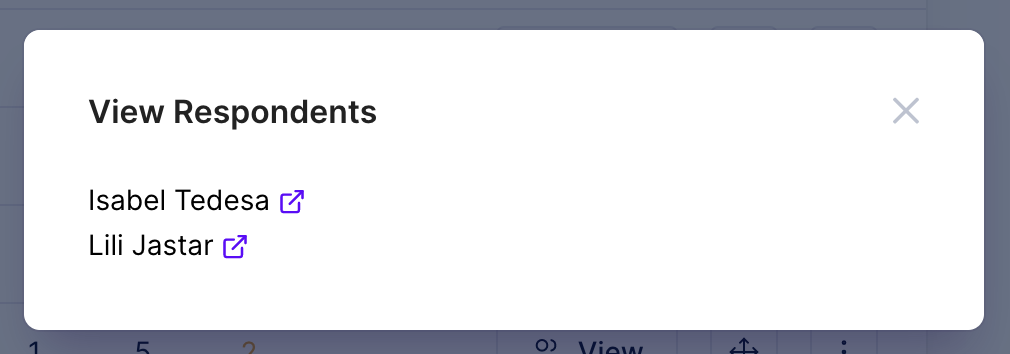
To view respondents in a specific quota rule, click **View** within that row.

It will show you a list of corresponding individuals.
 ## Export Quota Grids
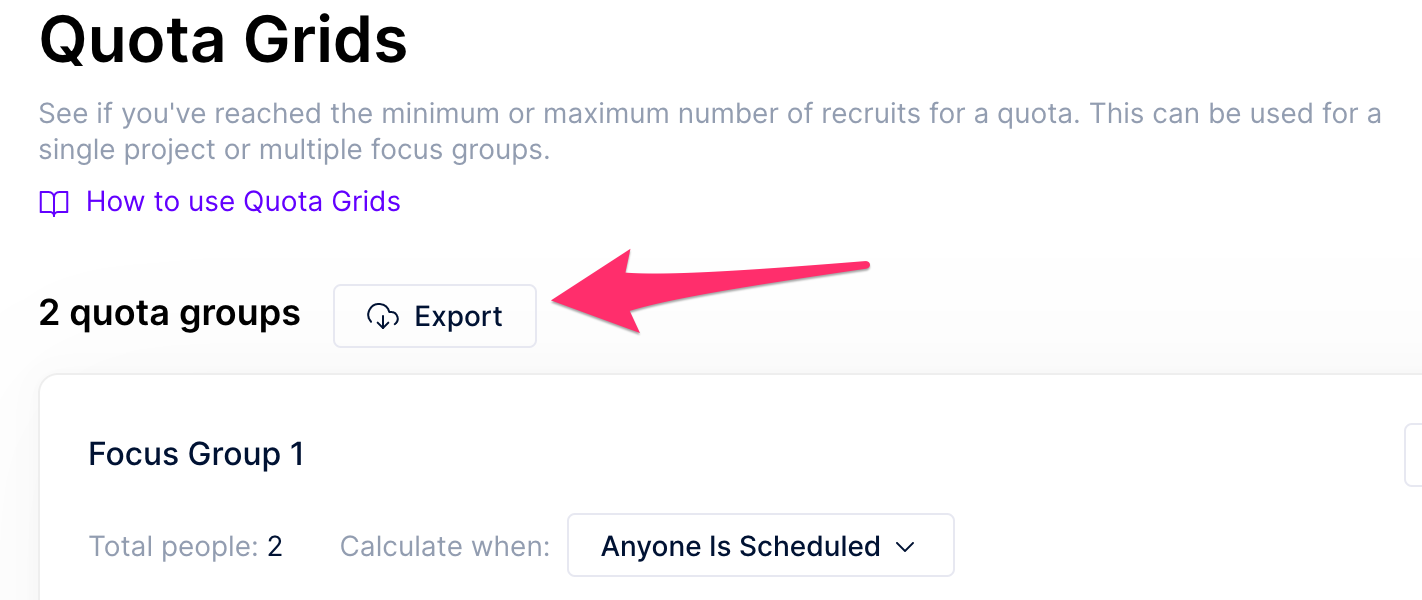
You can export the grid data to a CSV file by clicking **Export** on **Study > Quota Grids**.
## Export Quota Grids
You can export the grid data to a CSV file by clicking **Export** on **Study > Quota Grids**.
 {% hint style="info" %}
**Note:** Private Panels was previously managed outside of Dscout, so you may see a different logo and URL in some places. If you have any questions, contact .
{% endhint %}
---
# Agent Instructions
This documentation is published with GitBook. GitBook is the documentation platform designed so that both humans and AI agents can read, navigate, and reason over technical content effectively. Learn more at gitbook.com.
## Querying This Documentation
If you need additional information that is not directly available in this page, you can query the documentation by asking a question.
Perform an HTTP GET request on the following URL with the `ask` and `goal` query parameters:
```
GET https://help.dscout.com/private-panels/studies/quota-grids.md?ask=&goal=
```
`ask` is the immediate question: it should be specific, self-contained, and written in natural language.
`goal` is what the user is ultimately trying to achieve, the reason they need the answer. Sharing it helps GitBook give you a better, more relevant answer. A goal is most helpful when it describes the outcome the user wants rather than restating the question. For example, with `ask=how do I create an API token`, a goal like `automate deployments from our CI pipeline` lets GitBook tailor the answer to that use case.
The response will contain a direct answer to the question and relevant excerpts and sources from the documentation.
Use this mechanism when the answer is not explicitly present in the current page, you need clarification or additional context, or you want to retrieve related documentation sections.
{% hint style="info" %}
**Note:** Private Panels was previously managed outside of Dscout, so you may see a different logo and URL in some places. If you have any questions, contact .
{% endhint %}
---
# Agent Instructions
This documentation is published with GitBook. GitBook is the documentation platform designed so that both humans and AI agents can read, navigate, and reason over technical content effectively. Learn more at gitbook.com.
## Querying This Documentation
If you need additional information that is not directly available in this page, you can query the documentation by asking a question.
Perform an HTTP GET request on the following URL with the `ask` and `goal` query parameters:
```
GET https://help.dscout.com/private-panels/studies/quota-grids.md?ask=&goal=
```
`ask` is the immediate question: it should be specific, self-contained, and written in natural language.
`goal` is what the user is ultimately trying to achieve, the reason they need the answer. Sharing it helps GitBook give you a better, more relevant answer. A goal is most helpful when it describes the outcome the user wants rather than restating the question. For example, with `ask=how do I create an API token`, a goal like `automate deployments from our CI pipeline` lets GitBook tailor the answer to that use case.
The response will contain a direct answer to the question and relevant excerpts and sources from the documentation.
Use this mechanism when the answer is not explicitly present in the current page, you need clarification or additional context, or you want to retrieve related documentation sections.