> For the complete documentation index, see [llms.txt](https://help.dscout.com/llms.txt). Markdown versions of documentation pages are available by appending `.md` to page URLs; this page is available as [Markdown](https://help.dscout.com/recruit-participants/partner-panels.md).
# Partner Panels
Partner Panels are a way to expand your research reach beyond Dscout’s Scout Panel, your Private Panels, or other participants you may invite on your own. With Partner Panels, you can recruit directly from Dscout’s trusted third-party partners like Respondent, letting you find participants for even the most niche research needs. Want to hear from people who live in specific parts of the world? How about individuals who work in ultra-specific industries? Thanks to Partner Panels, you can.
{% hint style="info" %}
**Note:** Partner Panels currently support recruitment through Respondent. However, Dscout plans to support additional platforms in the future.
{% endhint %}
## Available countries
Partner Panels grant you access to participants in the following countries:
{% columns %}
{% column %}
* Australia
* Brazil
* Canada
* France
* Germany
* India
* Indonesia
* Ireland
{% endcolumn %}
{% column %}
* Italy
* Mexico
* Philippines
* Portugal
* Spain
* Switzerland
* United Kingdom
* United States
{% endcolumn %}
{% endcolumns %}
You can learn more about how Respondent powers Dscout's Partner Panels in Respondent's [Panel Book](https://cdn.prod.website-files.com/681b20d52ce4849a8d67ec3b/6892e077d18722004625e7a2_Panel%20Book%20-%202025.pdf).
## Recruitment methods
Recruiting from Partner Panels is easy—and you never have to leave Dscout to do it. You can recruit participants from Partner Panels in two ways:
* **Recruit using a screener:** Build a screener with targeting attributes and screener questions. Once launched, your screener is made available to participants on our Partner Panels. You can then review their responses right in Dscout and add those who qualify to your studies. For more information, see [Recruit from partner panels using a screener](/recruit-participants/partner-panels/recruit-from-partner-panels-using-a-screener.md).
* **Auto-recruit (usability tests and media surveys only):** Add targeting attributes and screener questions to your study. Once launched, the screener portion of your study is made available to participants on our Partner Panels. Those who qualify are then automatically directed to Dscout to complete the rest of your study. For more information, see [Auto-recruit from partner panels](/recruit-participants/partner-panels/auto-recruit-from-partner-panels.md).
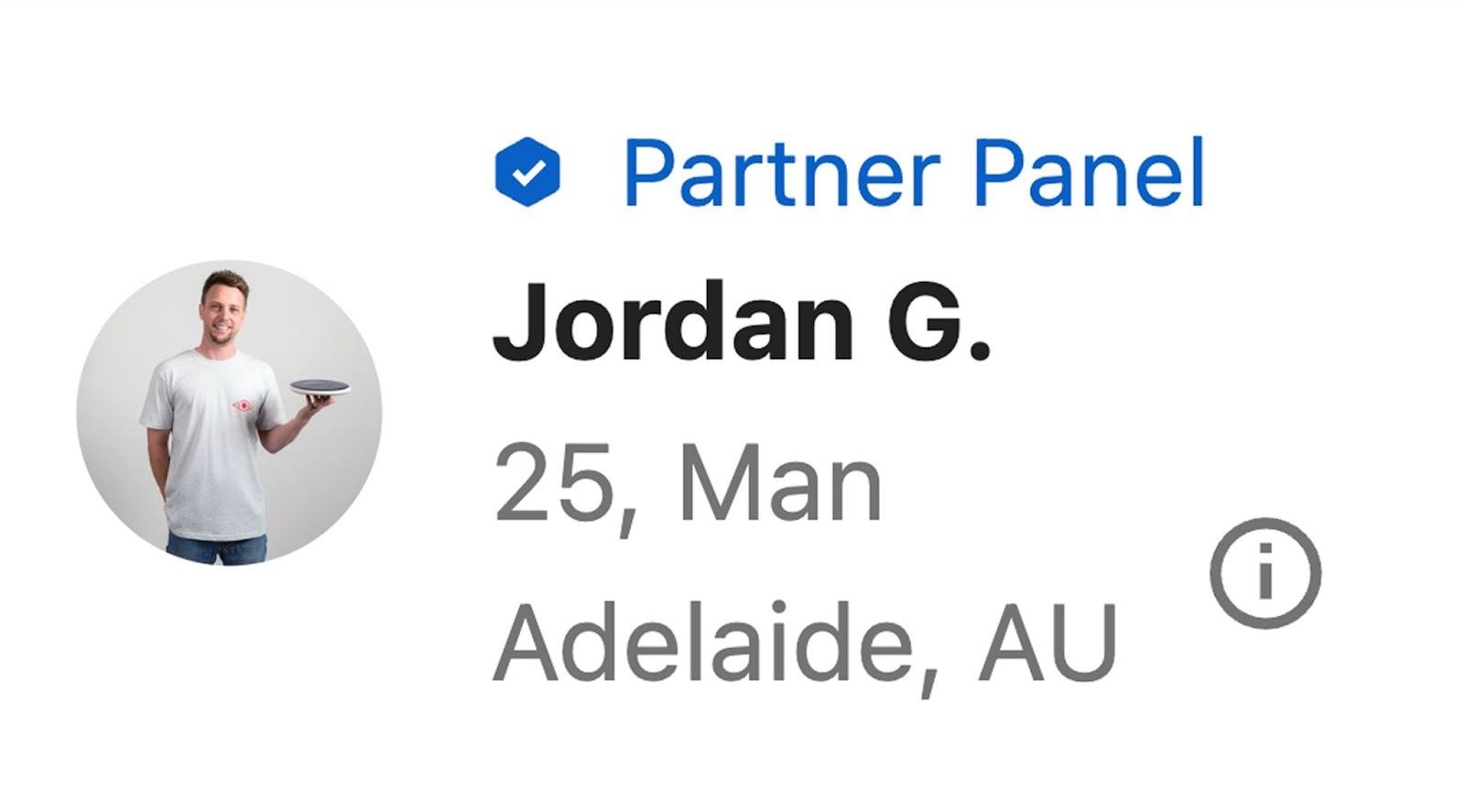
Whichever option you choose, you’ll always be able to tell when a participant came from Partner Panels by looking for the Partner Panels badge during analysis:
Does recruiting from Partner Panels cost extra?
Additional activity credits may be required for participants recruited from Partner Panels. For more information, contact your Dscout Account Manager.
For more information on Partner Panels, see the following articles:
* [Recruit from partner panels using a screener](/recruit-participants/partner-panels/recruit-from-partner-panels-using-a-screener.md).
* [Auto recruit from partner panels](/recruit-participants/partner-panels/auto-recruit-from-partner-panels.md).
* [How are partner panels participants paid](/recruit-participants/partner-panels/how-are-partner-panels-participants-paid.md)
---
# Agent Instructions
This documentation is published with GitBook. GitBook is the documentation platform designed so that both humans and AI agents can read, navigate, and reason over technical content effectively. Learn more at gitbook.com.
## Querying This Documentation
If you need additional information that is not directly available in this page, you can query the documentation by asking a question.
Perform an HTTP GET request on the following URL with the `ask` and `goal` query parameters:
```
GET https://help.dscout.com/recruit-participants/partner-panels.md?ask=&goal=
```
`ask` is the immediate question: it should be specific, self-contained, and written in natural language.
`goal` is what the user is ultimately trying to achieve, the reason they need the answer. Sharing it helps GitBook give you a better, more relevant answer. A goal is most helpful when it describes the outcome the user wants rather than restating the question. For example, with `ask=how do I create an API token`, a goal like `automate deployments from our CI pipeline` lets GitBook tailor the answer to that use case.
The response will contain a direct answer to the question and relevant excerpts and sources from the documentation.
Use this mechanism when the answer is not explicitly present in the current page, you need clarification or additional context, or you want to retrieve related documentation sections.